Best controllers for browser-based retro emulation
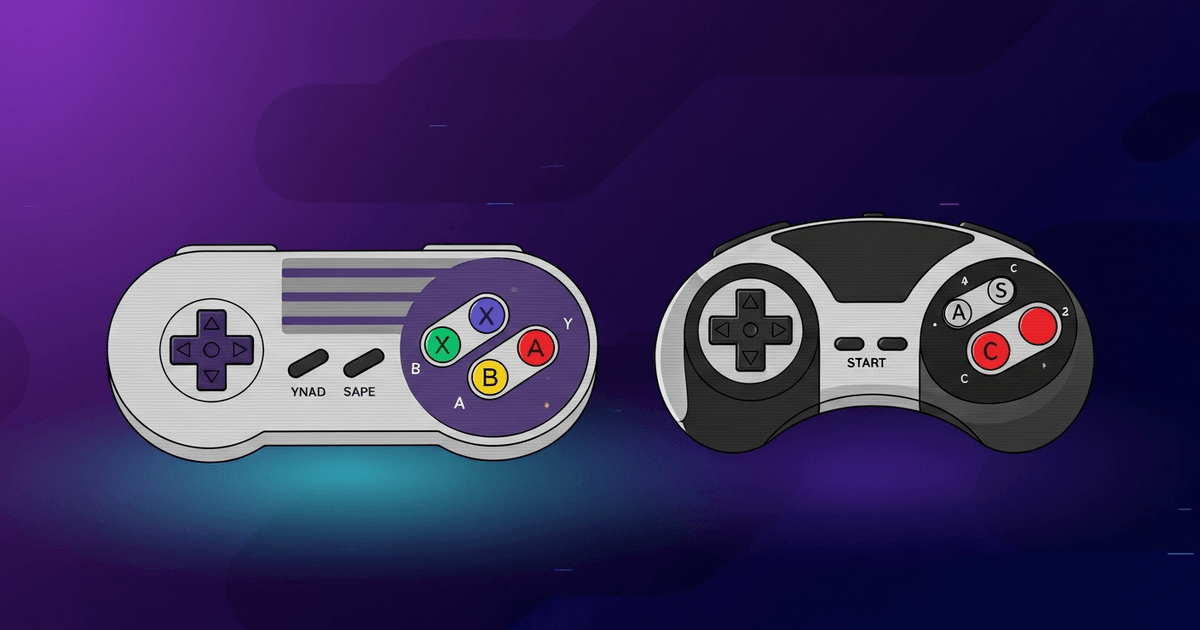
A buying guide for USB and Bluetooth controllers that work plug-and-play with browser emulators via the Gamepad API.
By Mira Köhler · Published: · Updated:

Last reviewed by Mira Köhler on
How browsers see controllers
Modern browsers expose connected gamepads through the Gamepad API. Any controller that registers as a standard HID gamepad — which is essentially every Xbox-style controller, every PlayStation controller, every Switch Pro controller, and the entire 8BitDo lineup — works immediately with no driver install. The browser polls 16 buttons and 4 axes; the emulator core remaps them to the original console's button layout.
Top picks
Three categories — wireless, wired, and budget.
- 8BitDo Pro 2 (wireless) — the best generalist controller for browser emulation. Bluetooth or USB, four programmable back buttons, Switch/Mac/PC/Android profiles, ~40 hour battery. ~US$50.
- 8BitDo SN30 Pro (wireless) — SNES-styled face buttons with full analog sticks. Best for 16-bit-era games where the d-pad-first layout feels right. ~US$40.
- Hori Fighting Commander (wired) — six-button Genesis-style face layout. The only modern controller built specifically for arcade and 6-button fighting games. ~US$45.
- Xbox Wireless Controller — works flawlessly via Bluetooth or USB, available everywhere. The default if you already own one. ~US$60.
- 8BitDo Zero 2 (wireless, budget) — keychain-sized SNES-style controller. Great for travel and the cheapest credible option. ~US$20.
How to pair
- Plug in the USB cable, or hold the controller’s pairing button and select it from your OS’s Bluetooth menu.
- Open the emulator page and press any button on the controller. The browser shows the controller as connected; the emulator picks it up automatically.
- If buttons map wrong, open the emulator’s in-game menu (usually Esc on keyboard or hold L+R+Start) and use the input remapping screen.
Troubleshooting
- If the browser doesn't see the controller, confirm it shows up at https://gamepadtester.net first. If not, the browser isn't reading it at all and the emulator can’t either.
- Bluetooth latency is sometimes 8-15 ms higher than wired. For fighting games and rhythm games, prefer the wired option.
- Some controllers use proprietary drivers (e.g., older PS3 controllers on Mac). Those don’t work with the Gamepad API. Stick to the lineup above to avoid the issue entirely.
Top picks
Each pick links to the full review. Prices in USD, sourced from the manufacturer where available.
8BitDo 8BitDo Pro 2
The best generalist controller for browser emulation — Bluetooth or USB, four programmable back buttons, multi-platform profiles.
Pros
- Plug-and-play in every browser via Gamepad API
- ~40 hour battery life
- Four programmable back buttons
- Switch / Mac / PC / Android profile switching
Cons
- Bluetooth latency 8–15 ms higher than wired — wired mode preferred for fighting/rhythm games
8BitDo 8BitDo SN30 Pro
SNES-styled face buttons paired with full analog sticks — the cleanest fit for 16-bit-era games where the d-pad-first layout feels right.
Pros
- Best d-pad for 2D platformers
- Authentic SNES-era face button layout
- Compact, easy to travel with
Cons
- Smaller hand-feel than Pro 2 on multi-hour sessions
Hori Hori Fighting Commander
Six-button Genesis-style face layout — the only modern controller built specifically for arcade and 6-button fighting games.
Pros
- Native 6-button layout for arcade fighters
- Wired = lowest possible latency
Cons
- No analog sticks — useless for PS1/N64 3D games
- Wired-only, no Bluetooth option
Microsoft Xbox Wireless Controller
Works flawlessly via Bluetooth or USB, available everywhere — the default if you already own one.
Pros
- Available at every electronics retailer
- Works with every PC, Mac, phone, tablet
- Robust build quality
Cons
- More expensive than 8BitDo equivalents
- D-pad not ideal for fighting games
8BitDo 8BitDo Zero 2
Keychain-sized SNES-style controller — great for travel and the cheapest credible option in the lineup.
Pros
- Cheapest credible option (~US$20)
- Pocket-sized for travel
- Bluetooth-only — no cable to lose
Cons
- No analog sticks, no shoulder triggers
- Cramped for adult hands on long sessions
FAQ
- Do I need a special USB cable?
- No. Any USB cable that fits the controller works. The browser communicates with the controller via the standard HID gamepad protocol.
- Will my PS5 DualSense work?
- Yes via USB or Bluetooth — it registers as a standard gamepad. Trigger-effect haptics aren’t exposed via the Gamepad API, so you lose the adaptive triggers, but face buttons and sticks work normally.
- Does an arcade stick work?
- Yes. Hori, Qanba, and Mayflash arcade sticks all enumerate as standard HID gamepads.
Related guides
Best Bluetooth controller emulator picks for 2026
Six Bluetooth gamepads tested in-browser: latency, mapping, and who each suits.
What is EmulatorJS? An emulation engine, explained
The open-source JavaScript bridge that turns libretro cores into browser-runnable WebAssembly.
Save state vs save file: what’s the difference?
Save states freeze RAM. Save files mirror the cartridge battery. They behave differently — here’s the cheat sheet.

Emulator save lost: can you recover your progress?
IndexedDB saves vanish easily. Here's what happened and what you can actually do.